
ZenaDrone Homepage

Why Choose a Wearable Technology Ring?

Why choose a Wearable Technology Ring when a smartwatch already tracks health? The appeal is practical: a slim band on your finger can feel less intrusive overnight, while still recording signals such as heart rate, temperature trends, and movement. No bright screen. No buzzing wrist. For people who dislike sleeping with a watch, that small difference can matter.

The market is expanding, though forecasts should be treated as estimates. Counterpoint Research reported that global smart-ring shipments rose 88% year over year in the first quarter of 2024. Grand View Research estimated the global smart-ring market at about $314.5 million in 2023 and projected continued growth through 2030. Those numbers show commercial momentum, not proof that every ring improves health. Sleep scientist Matthew Walker has said, “Sleep is the single most effective thing we can do to reset our brain and body health each day.” His point helps explain the interest in rings: many are designed to track overnight patterns with little effort from the wearer.

Convenience is not accuracy. A ring’s readings can vary with fit, skin temperature, movement, and the device’s algorithm. And a score can be misleading. Think of it as a useful prompt, not a diagnosis or a substitute for clinical advice. Choosing one means weighing comfort, battery life, app costs, privacy practices, and whether its measurements answer a real question for you. The technology is promising, but its limits deserve attention too.
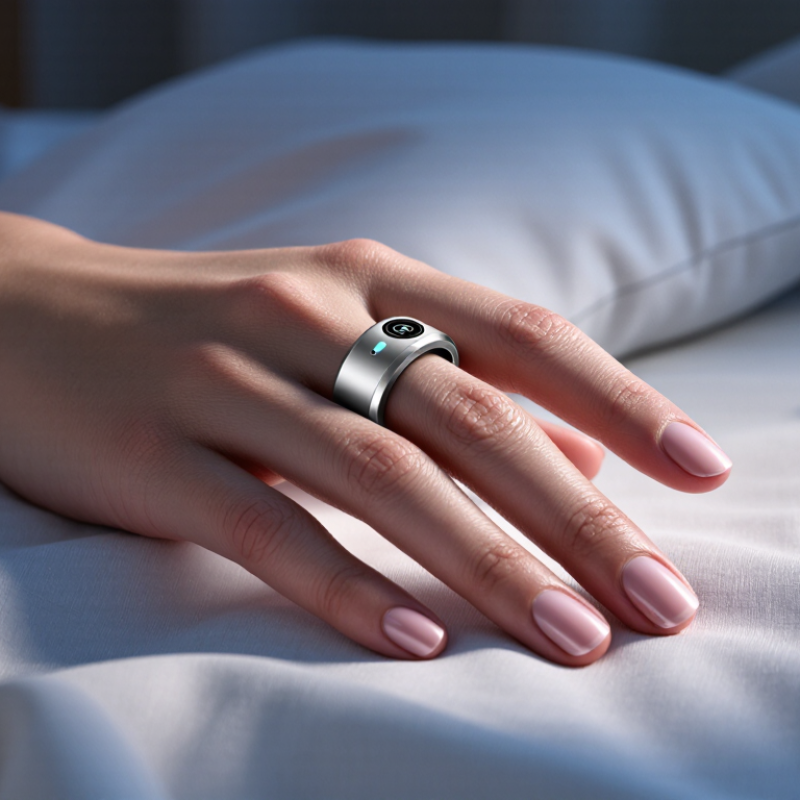
Why Choose a Wearable Technology Ring?

What Wearable Technology Rings Measure: PPG, Temperature, and Motion

A wearable technology ring can track useful signals without a screen on your wrist. Its compact sensors often collect data while you sleep, when movement is lower. PPG shines light into the skin and detects changes in blood volume. From those patterns, software estimates pulse and may calculate heart-rate variability. Fit matters: a loose ring can produce noisier readings. Not a diagnosis.

Temperature sensors usually track changes at the skin, not core body temperature. A warm bedroom, cold hands, or a late workout can shift the readings. Trends across several nights are often more informative than one isolated number. Motion sensors detect movement and stillness, helping estimate activity and sleep periods. They cannot tell with certainty why you woke up or whether a workout felt difficult. Small signals need context.

Tips: Wear the ring snugly, but not uncomfortably, and follow its fit guidance. Compare similar nights rather than chasing a single score. If readings look odd, check placement and note changes in routine. These devices can miss things; that limitation is worth remembering.

How Ring Sleep Tracking Relates to the 7-Hour Adult Sleep Benchmark

Why Choose a Wearable Technology Ring?

How Ring Sleep Tracking Relates to the 7-Hour Adult Sleep Benchmark

Adults are generally advised to get at least seven hours of sleep, but that benchmark is not a pass-or-fail score. A wearable ring estimates sleep from signals such as movement and heart rate. It does not directly measure every stage of sleep. Seven hours on a screen may still feel restless; your morning energy matters too.

Use ring data to notice patterns, not to judge one night. For example, compare several weeks of bedtime, wake time, and estimated sleep duration. A late meal, a warm room, or a noisy street might help explain a restless night. These readings can be useful, but they are estimates, and accuracy can vary. I’d be wary of changing a routine just to improve a score. The number can feel reassuring. Sometimes, it can also make sleep more stressful.

Tips: Wear the ring consistently, check weekly trends, and note how you feel during the day. If poor sleep continues or affects daily life, discuss it with a qualified health professional.

How Activity Tracking Connects to WHO’s 150-Minute Weekly Exercise Guideline

Why Choose a Wearable Technology Ring?

How Activity Tracking Connects to WHO’s 150-Minute Weekly Exercise Guideline

WHO recommends that adults complete at least 150 minutes of moderate-intensity aerobic activity each week. A wearable ring can make that goal easier to picture by recording movement and showing your progress over time. A brisk 30-minute walk, five days a week, reaches the minimum. Small sessions count, too.

The need is substantial. WHO’s 2024 global estimates, published with findings in The Lancet Global Health, indicate that about 31% of adults did not meet recommended activity levels in 2022. A ring may help turn an abstract target into practical prompts: a walk after lunch, stairs instead of the lift, or a few extra minutes outside. Useful, but not magic.

Numbers can mislead. Wearable sensors estimate activity; they do not perfectly judge effort, and a recorded minute is not always a meaningful workout. A slow stroll may register, while carrying groceries or cycling may be undercounted. Check the weekly pattern, not every blip. The ring works best as a reminder, paired with your own sense of pace and recovery.

What Battery Life Means: Oura Ring 4 Is Rated for Up to 8 Days

A wearable ring rated for up to eight days between charges can fit more easily into a busy routine. That figure is a maximum, not a promise for every wearer. Frequent measurements, app settings, and how often you sync data may affect battery life. A long weekend away from a charger feels simpler when you are not packing another cable. Still, the estimate needs context. Your actual results may differ, and a few extra days should not outweigh comfort or useful tracking.

Tips: Check the battery level before travel. Keep the charger somewhere easy to spot, such as beside your keys. If the charge drops faster than expected, review your settings before assuming the ring is faulty.

Battery life also changes how consistently you can wear a tracker overnight. Fewer charging breaks may mean fewer gaps in sleep records, though no device captures every detail perfectly. A ring can feel effortless until it needs charging at an inconvenient moment. I would treat an eight-day rating as helpful planning guidance, not a guarantee. Watch your own charging pattern for a couple of weeks; that small habit gives a more realistic picture than the headline number alone.

What an Up-to-8-Day Battery Rating Means

A simple illustration of battery use across an eight-day maximum rating. The evenly spaced values are a theoretical estimate, not measured performance; actual battery life and drain vary with use.

How to Choose a Ring for Fit, Data Privacy, and Device Compatibility

A wearable technology ring works best when it fits comfortably through ordinary routines, not just during a quick store try-on. Your finger size can shift with heat, exercise, or sleep, so check the sizing guidance and wear a sample ring for a full day if possible. It should feel secure without pinching, and it should not spin freely when your hands are cold. Fit is personal. A slightly loose ring may still look fine, but movement can affect some sensor readings.

Check what the ring measures, how often it syncs, and whether its companion app supports your phone’s operating system. Also look for practical details: charging frequency, water-use guidance, and whether data can be viewed or exported without a paid plan. Privacy deserves equal attention. Read the app’s permission requests and learn how the provider stores, shares, and deletes your information. These details can change, so review the current policy rather than relying on an old review. It is tempting to focus on the feature list; I would not treat more measurements as automatically better.

Tips: Before buying, confirm phone compatibility on the current product page. Try the ring on the finger you plan to use, including overnight if permitted. Ask yourself whether you will actually check the data. A little friction matters. If the app’s privacy controls are unclear, pause and investigate before syncing personal health information.

Why Choose a Wearable Technology Ring? — How to Choose a Ring for Fit, Data Privacy, and Device Compatibility

Selection Dimension What to Check Practical Guidance Why It Matters
Fit and sizing Sizing method, available sizes, and recommended wearing position Use the maker’s sizing guide or sizing kit when available. Wear the test size for a full day, including overnight, and check that it feels secure but not constricting. A loose ring may shift and affect sensor contact; a tight ring can become uncomfortable as fingers naturally change size with temperature and activity.
Comfort and daily use Weight, inner-edge shape, water guidance, and charging routine Consider whether you can comfortably sleep, work, exercise, and remove the ring when needed. Follow the device’s specific water-use and care instructions. A comfortable device is more likely to be worn consistently, while water resistance and care limits differ between products.
Sensors and measurements Which signals are measured and which insights are actually provided Check for relevant features such as movement, pulse-related measurements, or skin-temperature trends. Read how the device defines each metric and whether it requires regular wear or a connected app. Sensor availability and interpretation vary. Skin-temperature readings are not the same as core body temperature, and wellness estimates are not a medical diagnosis.
Data privacy Data collected, storage location, sharing, retention, and deletion options Review the privacy policy and app permissions. Look for clear controls to access, export, or delete data, and check whether data is processed on the device, in the cloud, or both. Wearable data can reveal routines and health-related patterns. Transparent policies and meaningful account controls help you make an informed choice.
Device compatibility Supported phone operating systems, minimum versions, Bluetooth requirements, and app availability Confirm compatibility with your exact phone and operating-system version before buying. Check whether setup, syncing, and key features require a phone or internet connection. Bluetooth support alone does not guarantee that an app or every feature will work on a particular device.
App integration and data access Health-platform integrations, data export, and account requirements Verify that the app supports the services you already use and identify which data types can be shared. Check whether an account or subscription is needed for the features you want. Integrations and access to historical data differ. Confirming these details helps avoid unexpected limits after purchase.
Battery and charging Advertised battery life, charging method, and time needed to recharge Compare the stated battery estimate with your expected use, and check whether frequent measurements or connected features affect it. Plan for charging gaps in your tracking routine. Battery performance depends on settings and usage, and tracking may pause while the ring is charging.
Best-fit use case Your main goal: sleep trends, activity awareness, or general wellness tracking Choose based on the measurements, comfort, privacy controls, and app features you will use regularly—not on the number of metrics listed. A wearable ring is most useful when its capabilities match your needs and its limitations are clear.
Scroll to Top