
Choosing the best Keyless Entry Door Lock requires more than comparing prices and smartphone features. A reliable choice should match your door, routine, security expectations, and household needs. Measure the door thickness and check whether the existing deadbolt aligns smoothly with the strike plate. Even a premium lock can fail when the bolt rubs against the frame.
Look closely at the access methods. A keypad helps children enter without carrying keys, while fingerprint access may suit busy households. Bluetooth and Wi-Fi offer remote control, but they can introduce app problems, connection delays, or privacy concerns. Simple is often safer.
Battery performance deserves careful attention. Choose a model with clear low-battery warnings and a dependable emergency power option. Test the keypad during rain, cold mornings, and bright sunlight if the lock will face outdoors. Also examine recognized durability and security ratings, such as ANSI/BHMA grades, rather than trusting marketing language alone.
Think beyond installation day. Can an older family member operate the buttons easily? Will temporary codes help a cleaner or guest without sharing your personal code? Does the lock record useful entry activity without creating unnecessary complexity?
No lock is perfect. That matters.
Some buyers focus heavily on smart-home compatibility and overlook basic mechanical alignment. That is a mistake worth remembering. The strongest decision balances convenience, physical strength, battery reliability, privacy, and straightforward daily use. A qualified installer or careful product manual review can prevent expensive installation errors and provide greater confidence over time.
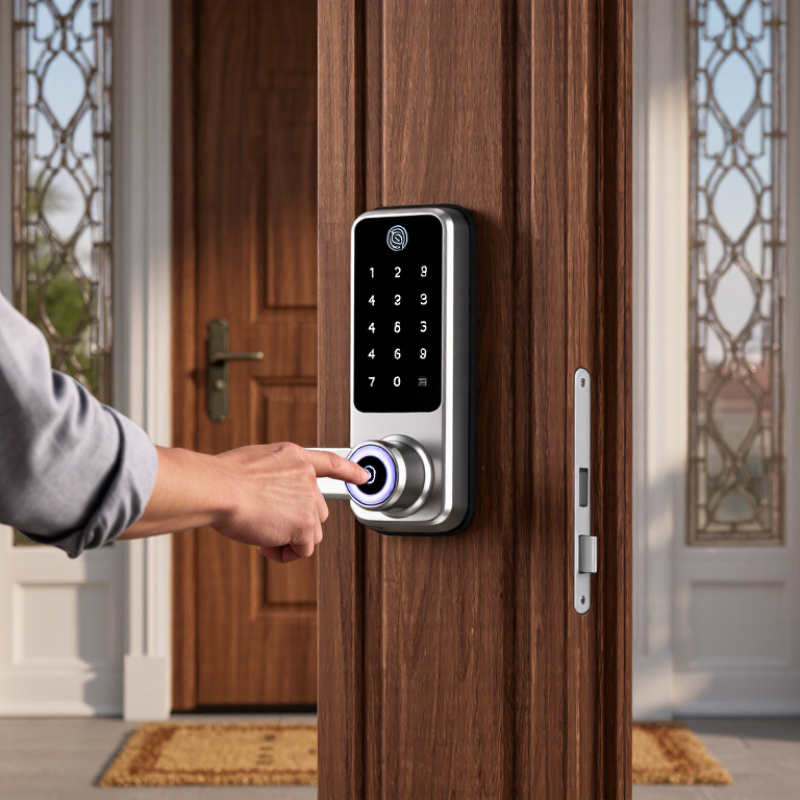
Choosing the best keyless entry door lock starts with understanding its type, not its appearance. Grand View Research’s 2024 report projects the smart lock market to grow at a 19.6% compound annual rate through 2030. That growth reflects rising demand, but not every lock suits every entrance.
Keypad locks use PIN codes and work well for families, rentals, and service access. They avoid lost keys, although weak codes create an obvious security problem. RFID or NFC locks use cards, tags, or phones. They offer fast entry, but lost credentials require prompt replacement. Biometric locks recognize fingerprints or facial features. They feel convenient, yet wet fingers, dust, or cold weather can reduce accuracy. Bluetooth models usually communicate with a nearby phone. Wi-Fi models support remote control, but they depend more heavily on network security and battery life.
NIST’s Digital Identity Guidelines recommend stronger, multi-factor authentication for sensitive access. A door lock may not need that level, but the principle remains useful. Choose local PIN access when internet outages are common. Select remote connectivity only when monitoring and temporary permissions matter. Check the door’s deadbolt dimensions, strike alignment, and battery warning distance before buying. A simple installation test can prevent hours of frustration.
No category wins every hallway. A polished touchscreen can still fail during a power issue. I would also question locks with unclear data-retention policies. The most reliable choice balances entry method, physical fit, backup access, weather exposure, and the household’s actual habits.
Choosing a keyless entry door lock starts with the threat you are managing. A keypad may stop lost-key problems, while an app adds remote control and activity records. Fingerprint access is convenient, but wet or dusty fingers can reduce recognition accuracy. Keep a physical backup method.
Security depends on more than the number of features. Look for encrypted communication, automatic locking, tamper alarms, failed-attempt limits, and clear access logs. NIST Special Publication 800-63B recommends rate limiting and stronger authentication controls against repeated guessing. These principles matter when a lock accepts PINs or connects to a home network. The 2024 Verizon Data Breach Investigations Report found that the human element appeared in 68% of breaches. Therefore, avoid shared codes and remove former users immediately.
Check the lock’s physical construction too. ANSI/BHMA grading provides a useful durability reference for residential hardware, although certification does not guarantee perfect installation. A strong lock with short screws can still be defeated by a weak door frame. Measure the backset, inspect the strike plate, and use long mounting screws where appropriate. Battery warnings should appear early, not after midnight. That has happened with electronic devices, and locks are not immune. I would also test the emergency power option before trusting it. Bluetooth, Wi-Fi, and fingerprint access each solve different problems; none deserves automatic trust.
Choosing a keyless entry door lock starts with the door, not the keypad. Measure the door thickness, backset, and borehole before comparing features. A common residential door may use a standard deadbolt, but not every frame does. Check whether the lock replaces the deadbolt or requires a separate interior mechanism. Look at the door edge, strike plate, and available clearance. The latch should extend fully into the strike without rubbing.
Small friction matters.
I once assumed a compatible-looking lock would fit an older door. It needed extra adjustment, and the installation became less secure. That mistake changed how I check measurements. Metal doors, narrow frames, and multipoint locks may need different hardware. Confirm the door handing and check whether the exterior trim leaves enough space for a keypad.
Smart-home compatibility needs equal attention. Confirm the lock’s wireless protocol, required hub, app support, and phone operating system. A lock may connect directly or depend on a separate bridge. These options affect range, battery use, remote access, and performance during internet outages. Check whether your home controller can create codes, show battery alerts, and record entry events. Shared access should be removable when a guest no longer needs it.
Do not trust a product label alone.
Read the installation guide and current compatibility documents from reliable sources. Check local building requirements, especially for rental properties or fire-rated doors. Some functions may change after software updates. A lock can fit perfectly and still disappoint if its smart features do not work with your existing system.
Check these common residential door measurements before selecting a keyless entry lock. The dimensions are reference values; always measure your door and confirm the lock’s installation requirements.
Compatibility checklist: Confirm the door thickness, backset, cross-bore diameter, and edge-bore diameter. For smart-home integration, also verify the lock’s wireless protocol, hub or platform support, battery access, door handing, and whether an exterior key override is required.
How to Choose the Best Keyless Entry Door Lock?
Power choice affects daily reliability. Battery-powered locks are easier to install, especially on existing doors. Keep spare batteries in a dry drawer, not inside the lock. Low-battery alerts help, but they should not replace a monthly check. Hardwired models provide steady power, yet installation may require wall access and professional electrical work. Some locks also include emergency external power contacts. Useful, but not foolproof.
Installation should begin with careful measurements. Check the door thickness, backset, and available clearance around the frame. A deadbolt that rubs against the strike plate can drain batteries quickly. I once rushed this step, and the keypad worked inconsistently until the plate was realigned. Use a level and test the key manually before tightening every screw. Avoid forcing parts into place. That usually creates bigger problems.
Tips: Test the lock with the door open first. Then test it while closed. Clean the keypad with a soft, slightly damp cloth. Inspect screws every few months, especially on doors exposed to vibration or weather. Do not spray oil into electronic sections. Read the maintenance instructions carefully, because battery contacts differ between models. Keep a mechanical backup method available if the design supports one. Digital convenience is valuable, but a dead battery can quickly change your priorities.
How to Choose the Best Keyless Entry Door Lock?
Choosing the best keyless entry door lock starts with your budget and daily habits. A basic keypad lock may suit a small apartment or rental home. It offers convenient entry without expensive smart-home features. Families may prefer temporary codes for cleaners, guests, or caregivers. Check whether codes can be deleted quickly after use.
A connected lock costs more, but it may provide remote control and activity alerts. This can help when you are away or managing several entrances. However, Wi-Fi features may increase battery use and setup time. A fingerprint reader is convenient, yet it may respond poorly with wet or dusty fingers. I have found that simple controls often feel more reliable during busy mornings. That is not always the most exciting choice.
Tips: Compare the total cost, not just the lock price. Include batteries, professional installation, and replacement parts. Measure your existing door hardware before ordering. Choose a model with low-battery warnings and a physical backup key. For outdoor doors, confirm weather resistance and test the keypad at night. Renters should also ask for permission before changing the lock. A stylish touchscreen is useful, but visibility and easy cleaning matter more than appearance.
| Lock Type | Typical Price Range | Access Methods | Installation Difficulty | Power and Battery Life | Security Considerations | Main Advantages | Potential Limitations | Best For |
|---|---|---|---|---|---|---|---|---|
| Mechanical Keypad Lock | About $30–$100 | PIN code; physical key override on some models | Easy to moderate; usually fits standard single-cylinder deadbolt openings | No batteries required | Look for hardened components, protected code entry, and a deadbolt with a strong ANSI/BHMA security rating | Low operating cost, dependable in power outages, and simple to use | No remote control, activity history, or temporary digital codes | Budget-conscious homeowners, rental properties, and users who prefer simplicity |
| Electronic Keypad Deadbolt | About $60–$180 | PIN code; physical key override is common | Easy to moderate; installation often takes less than an hour when the door is compatible | Typically uses four AA or four AAA batteries; commonly lasts several months to over a year depending on use | Choose models with automatic locking, incorrect-code protection, and a certified deadbolt | More affordable than connected locks and convenient for everyday entry | Batteries must be monitored; codes may need to be changed manually | Families and homeowners who want key-free access without smartphone features |
| Bluetooth Smart Lock | About $100–$250 | Smartphone, Bluetooth, PIN or physical key depending on the model | Moderate; requires app setup and account configuration | Usually battery-powered; often lasts several months to about a year, depending on usage and connectivity | Use strong account passwords, automatic firmware updates, and a secure phone lock | Hands-free proximity unlocking, activity logs, and personalized user access | Remote control may require a separate Wi-Fi bridge or hub | Individuals and couples who mainly unlock the door with a smartphone |
| Wi-Fi Smart Lock | About $150–$350 | App, PIN, Bluetooth, voice assistant, and physical key on some models | Moderate; requires installation, Wi-Fi connection, and app setup | Usually battery-powered; battery life is often shorter than Bluetooth-only models because Wi-Fi uses more energy | Enable two-factor authentication, use a secure Wi-Fi network, and keep software updated | Remote locking, temporary codes, real-time alerts, and access from anywhere with internet service | Higher price, greater battery consumption, and dependence on network and cloud services | Frequent travelers, short-term rental hosts, and households needing remote access |
| Fingerprint Smart Lock | About $120–$300 | Fingerprint, PIN, smartphone, and sometimes a physical key | Moderate; fingerprint enrollment and user management are required | Commonly battery-powered; runtime varies with enrollment size, traffic, and wireless functions | Confirm that the lock includes PIN or key backup and does not rely on biometrics alone | Fast entry without carrying keys or remembering a code; supports multiple users | Recognition may be affected by wet, dirty, or injured fingers; biometric data handling should be reviewed | Busy households, office users, and people who want fast everyday access |
| Video Door Lock with Intercom | About $180–$450 | App, PIN, video verification, remote release, and physical key on some models | Moderate to difficult; may require a compatible door structure and reliable wireless signal | Battery or wired power; battery models usually require more frequent charging because of the camera | Use privacy settings, secure the account, and check local rules regarding audio or video recording | Combines entry control, visitor verification, alerts, and two-way communication | Highest cost, more maintenance, and possible privacy concerns; video may not work during power or network failures | Large homes, families with children, and users who want to identify visitors remotely |
Selection tip: Before purchasing, verify door thickness, backset measurement, deadbolt dimensions, weather exposure, battery access, and whether the lock has a reliable backup entry method.